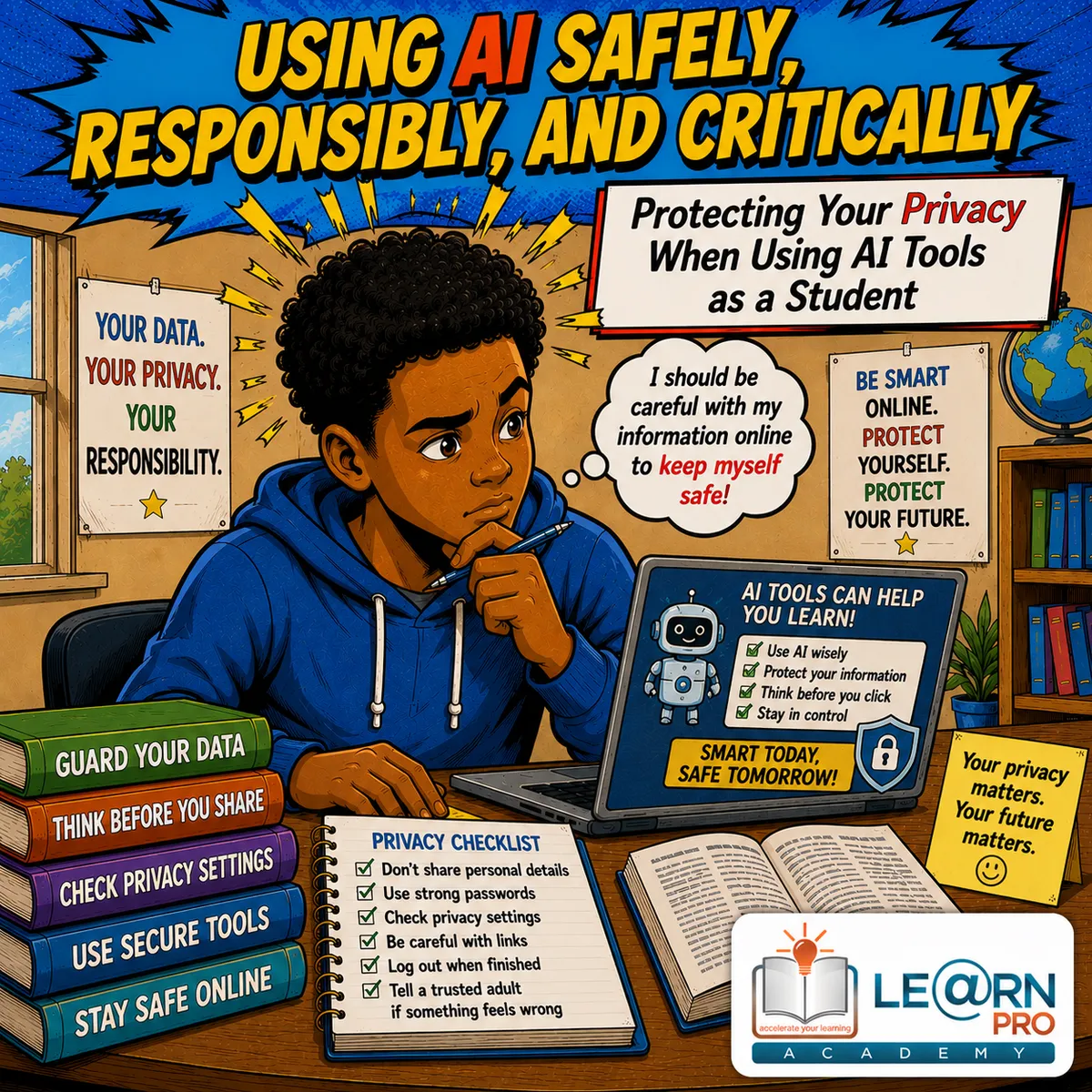
Protecting Your Privacy When Using AI Tools as a Student
This is article #4 of 5 in the Using AI Safely, Responsibly, and Critically Series
Introduction
Theme: Using AI Safely, Responsibly, and Critically
Artificial Intelligence (AI) has become a valuable learning tool for many students. It can explain difficult topics, help with revision, generate practice questions, improve writing, and make studying more interactive. Whether you are preparing for a test, completing a project, or trying to understand a challenging concept, AI can be a useful study partner.
However, while many learners focus on what AI can do, they often forget to think about what they are sharing with AI.
Every time you type a question, upload a document, or enter personal information into an AI tool, you should stop and ask yourself an important question:
"Is it safe to share this?"
Many learners use free AI tools without understanding how important online privacy is. Some upload school assignments that contain their names, share personal stories, enter their phone numbers, or even copy private conversations into AI chatbots. Others upload photos, school documents, or personal information without considering where that information might go.
Being careful online does not mean you should stop using AI.
It simply means you should use it responsibly and safely.
Protecting your privacy is one of the most important digital skills you can develop. It helps keep your personal information secure, protects your identity, reduces online risks, and teaches you how to become a responsible digital citizen.
In this article, you will learn what privacy means, what information you should never share with AI, what is generally safe to use, and practical habits that will help you enjoy the benefits of AI while protecting yourself online.
What Does Privacy Mean?
Privacy means keeping your personal information safe and only sharing it with people or organisations that genuinely need it.
Think about your home:
You probably lock your doors when you leave.
You do not invite strangers inside to look through your belongings.
Online privacy works in a similar way:
Your personal information deserves protection.
Just because an AI tool asks you to type something does not mean you should share everything.
Being careful about your information is a sign of responsibility, not fear.
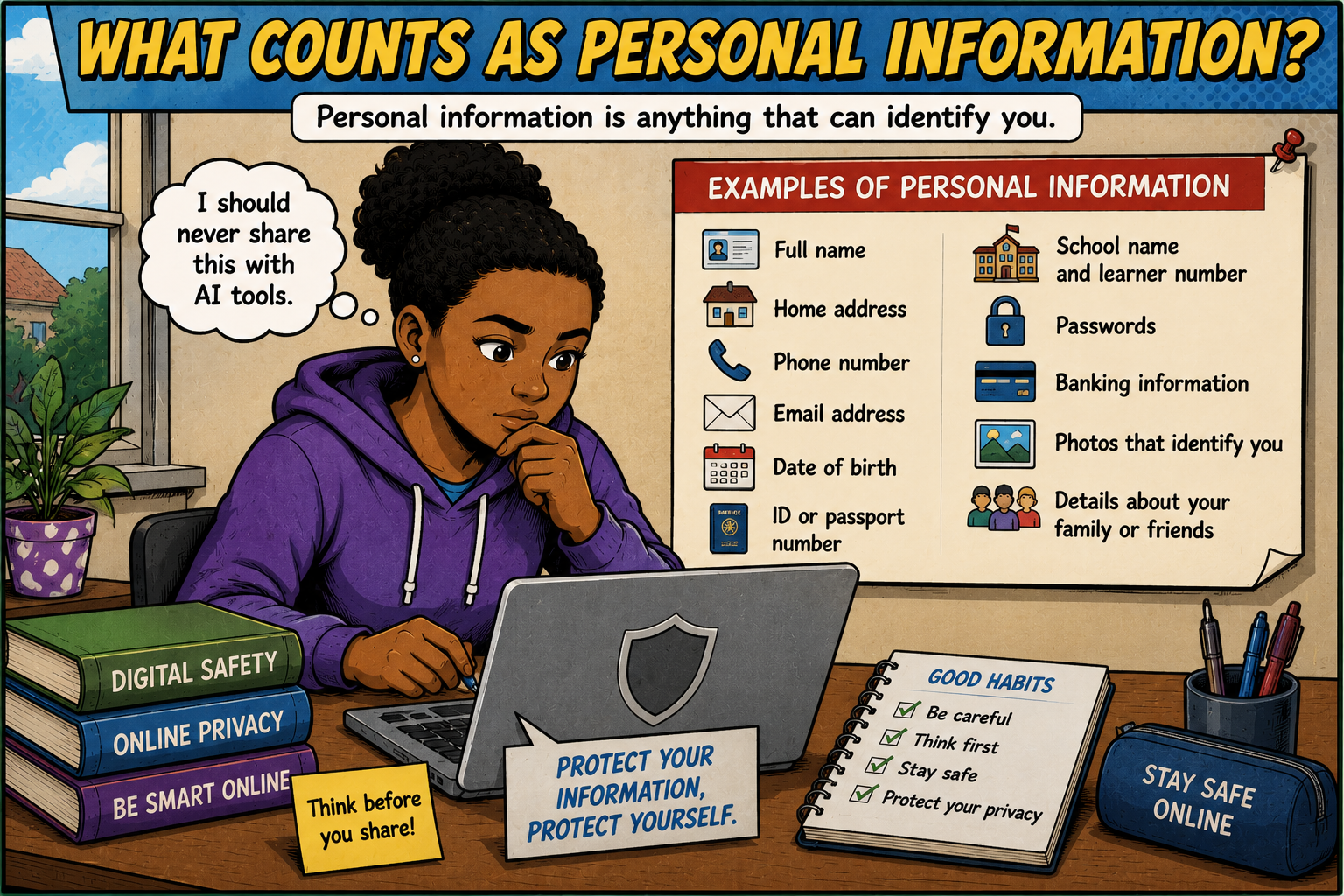
What Counts As Personal Information?
Personal information is any information that could identify you or someone else.
Examples include:
your full name
your home address
your phone number
your email address
your ID or passport number
your school name
your learner number
your date of birth
your passwords
banking information
photographs that clearly identify you
your parents' personal details
Some information may seem harmless on its own, but when combined with other details, it can reveal much more about you than you realise.
Why Privacy Matters When Using AI
Many AI tools work online. That means the information you type may be processed by computer systems outside your own device.
Different AI providers have different privacy policies and security measures. As a learner, you do not need to understand every technical detail.
However, you should understand one simple rule: Only share information that is necessary.
The less personal information you share, the safer you are.
AI Does Not Need To Know Who You Are
Imagine asking AI to explain photosynthesis. Which question is safer?
Option A: "My name is Sarah Jacobs. I am in Grade 11 at ABC High School in Johannesburg. Please explain photosynthesis."
Option B: "Please explain photosynthesis for a Grade 11 learner using simple English."
Both questions will probably receive a useful answer.
The second question protects your privacy much better because it includes only the information needed.
Always ask yourself: Does AI really need this personal detail?
Most of the time, the answer is no.
Information You Should Never Share With AI
Some information should never be entered into an AI tool.
These include:
passwords
banking details
identity numbers
passport numbers
examination login details
online account usernames and passwords
private family information
confidential school records
medical records belonging to you or someone else
private legal documents
Even if an AI tool appears trustworthy, there is usually no reason to enter this information.
Be Careful With School Documents
Many learners upload assignments to AI. Sometimes this is perfectly acceptable.
However, before uploading a document, check whether it contains personal information.
For example:
your full name
your school's name
your examination number
teacher comments
learner ID
contact information
If possible, remove unnecessary personal details before uploading the file.
Think Before You Upload Photos
Many AI tools now allow image uploads. Before uploading a photograph, ask yourself:
Does this image reveal:
my face?
my school uniform?
my school badge?
my home?
my address?
my friends?
private family information?
Sometimes one photograph contains much more personal information than you realise.
Why Passwords Must Always Stay Private
Passwords protect your digital life. Never type your passwords into AI. No legitimate study activity requires your password. Even if someone claims they need it to help you, never share it.
A strong password should remain known only to you.
Protect Your Friends' Privacy Too
Privacy is not only about protecting yourself. It is also about respecting others.
Never upload:
private conversations
classmates' assignments
photographs of friends without permission
teacher emails
confidential messages
personal information about other learners
Everyone deserves privacy.
Why Free AI Tools Need Extra Care
Many learners use free AI tools. Free does not necessarily mean unsafe. However, it does mean you should be especially careful about what you share.
Always remember: If a service is free, it may collect certain information to improve its services or operate its platform.
That is another reason to avoid sharing unnecessary personal details.
Understanding Privacy Policies
Most websites and AI tools have privacy policies.
These explain:
what information is collected
how it may be used
how long it may be stored
your rights as a user
Privacy policies can sometimes be long and difficult to read.
Even if you do not read every word, it is helpful to know they exist and that different companies may handle information differently.
Think Before You Click "Upload"
Before uploading any file, pause for a few seconds.
Ask yourself:
Does this file contain my name?
Does it contain private information?
Could I remove personal details first?
Is uploading this really necessary?
These simple questions can prevent many privacy problems.
AI Can Help Without Personal Details
Many learners believe they need to explain everything about themselves. Usually, this is unnecessary.
Instead of writing: "My teacher Mrs. Smith gave me this assignment because I failed my previous test."
Simply write: "Please explain this assignment question."
The second version protects your privacy while still getting the help you need.
School Email Addresses
Some schools provide learners with official email accounts. Use them responsibly.
Never share:
login details
passwords
verification codes
These belong only to you.
Public Computers Require Extra Care
If you use AI on:
school computers
library computers
internet cafés
shared family devices
remember to:
log out afterwards
close your browser
avoid saving passwords
remove downloaded files if necessary
This prevents other users from accessing your information.
Recognising Phishing And Fake Websites
Not every website that claims to offer AI is genuine. Some fake websites are designed to steal information.
Warning signs include:
unusual web addresses
poor spelling
requests for unnecessary personal information
offers that seem too good to be true
pressure to act immediately
If something feels suspicious, ask a parent, teacher, or trusted adult before continuing.
Strong Password Habits
Although passwords are not directly part of AI, they help protect your accounts.
Good passwords should:
be difficult to guess
contain different types of characters where appropriate
not use obvious personal information
not be shared with friends
Avoid using:
birthdays
your name
"123456"
"password"
Strong passwords improve your online safety.
Be Careful With AI-Generated Images
Some AI tools allow users to create images. If you upload photographs of yourself, remember that those images become part of the interaction with the tool.
Think carefully before uploading:
selfies
family photographs
school events
personal celebrations
Ask yourself whether the image is really necessary.
Avoid Sharing Emotional Or Personal Problems
Some learners use AI to discuss personal challenges. AI can provide general information and encouragement. However, it should never replace trusted adults when dealing with serious personal matters.
If you are struggling with:
bullying
mental health
family problems
abuse
serious stress
speak to:
a parent
a teacher
a school counsellor
another trusted adult
Real people can provide support that AI cannot.
AI Is Not A Private Diary
Some learners begin treating AI like a personal journal. Remember that AI tools are designed primarily to provide information and assistance.
If you would not feel comfortable sharing something with a stranger online, think carefully before typing it into an AI tool.
What Is Usually Safe To Share?
Many study-related questions are perfectly safe.
Examples include:
"Explain algebra."
"Help me understand photosynthesis."
"Create a Grade 12 Geography quiz."
"Summarise this public article."
"Explain Newton's Laws using simple English."
These questions focus on learning rather than personal information.
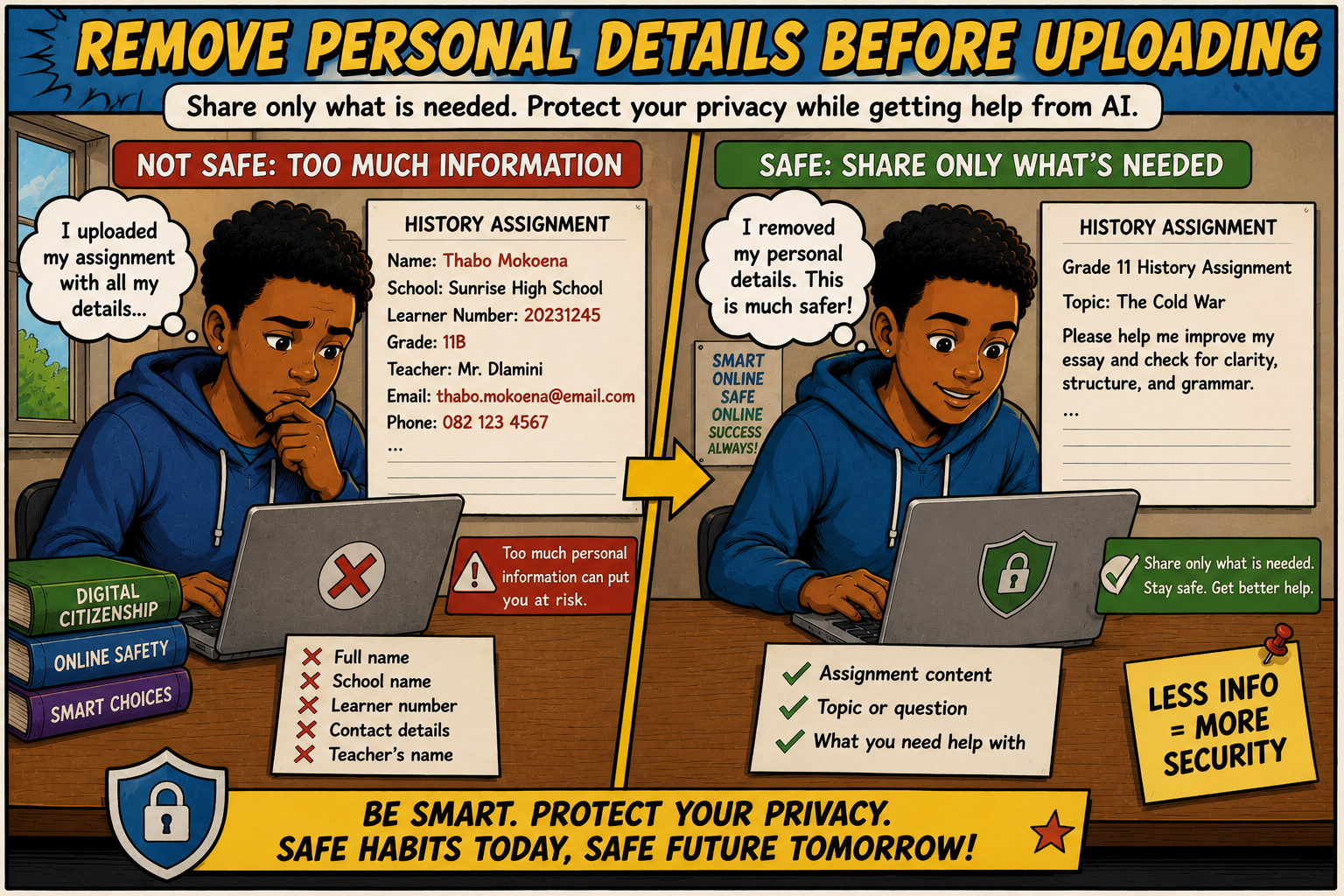
A Good Habit: Remove Personal Details
Suppose you want AI to help improve an essay.
Instead of uploading:
Name: Sarah Jacobs
School: ABC High School
Learner Number: 154628
Remove those details first.
AI only needs the essay itself.
This simple habit greatly improves privacy.
Respect Copyright And Confidentiality
Never upload:
examination papers that are confidential
confidential business documents
someone else's private writing
copyrighted material when you do not have permission
Responsible AI use includes respecting the rights of others.
Questions To Ask Before Sharing Information
Before typing anything into AI, ask yourself:
Does AI really need this information?
Would I share this publicly?
Does it include personal details?
Could someone identify me?
Does it involve another person's privacy?
Is there a safer way to ask the question?
If you hesitate, remove unnecessary information first.
Practical Scenario
Lebo wants AI to improve her English essay.
Option A: She uploads the essay exactly as submitted at school, including:
her full name
school name
teacher's comments
learner number
Option B: She removes:
her name
school details
learner number
teacher comments
She uploads only the essay text.
Option B is much safer while still allowing AI to help.
Becoming A Responsible Digital Citizen
Responsible digital citizens:
protect personal information
respect other people's privacy
think before sharing information
use strong passwords
avoid suspicious websites
use technology responsibly
These habits help keep everyone safer online.
Preparing For A Future With AI
AI will continue becoming part of education and many future careers. Employers will value people who know how to use technology safely and responsibly. Protecting privacy is becoming one of the most important digital skills in the modern world.
By developing good habits now, you prepare yourself for university, work, and everyday life.
Practical Tips For Safe AI Use
Whenever you use AI, remember these simple rules:
Never share passwords.
Avoid sharing personal identification details.
Remove names from assignments before uploading them where possible.
Protect your friends' privacy too.
Think before uploading photographs.
Use strong passwords for your accounts.
Log out of shared computers.
Be careful of fake AI websites.
Ask trusted adults when you are unsure.
Use AI for learning—not for sharing private information.
These habits take only a few extra seconds but can protect your privacy for years to come.
Conclusion
Artificial Intelligence is an exciting technology that can make learning easier, faster, and more enjoyable. It can explain difficult concepts, improve your writing, help you revise, and support your studies in many valuable ways. However, using AI responsibly means thinking not only about the answers you receive but also about the information you choose to share.
Protecting your privacy is one of the most important digital skills you can develop. By avoiding the sharing of personal information, removing unnecessary details from documents, using strong passwords, respecting other people's privacy, and thinking carefully before uploading files or images, you reduce unnecessary risks while continuing to benefit from AI.
Remember that AI does not need to know everything about you to be helpful. In most cases, simple, well-written questions are enough to receive excellent support without revealing personal details.
As technology continues to become part of everyday life, your ability to protect your privacy will become just as important as your ability to use digital tools effectively. By building safe online habits now, you are preparing yourself not only for success at school but also for a future where responsible and confident use of technology will be an essential life skill.
Additional Articles in the Using AI Safely, Responsibly, and Critically Series
Why You Should Not Trust Every AI Answer
How to Fact-Check Information You Get from AI
The Risk of Becoming Too Dependent on AI for Schoolwork
Protecting Your Privacy When Using AI Tools as a Student
Using AI with Integrity: How to Stay Honest and Still Get Help
Disclaimer
AI Tools were used to assist with research. Remember to always cross-check everything that you read.